Introduction
If you’ve stumbled upon EaseMate AI, you’re likely looking for specialized AI tools—maybe the Studio Ghibli image converter went viral on your social feed, or you’re intrigued by the Veo 3 video generator feature. EaseMate positions itself as a collection of trendy AI-powered utilities accessible through a simple web interface, no login required for basic features.
But here’s what happens when the novelty wears off: EaseMate AI is essentially a wrapper around existing AI capabilities, packaging them into micro-tools (kissing video generator, pet-to-human converter, action figure maker) that sound fun but deliver inconsistent results. You’re paying for individual features rather than accessing the underlying AI models that could handle these tasks—and countless others—more flexibly and reliably.
The fundamental issue? EaseMate charges per feature or requires premium subscriptions ($9.99-$29.99/month reported by users) for access to tools that are built on AI models you could access directly. Want image generation? You’re using a repackaged version of capabilities already available in GPT-5 or Gemini. Need video summarization? That’s functionality Perplexity and Claude handle natively. Math solving? Any modern AI model handles that without needing a separate “EaseMate math solver” interface.
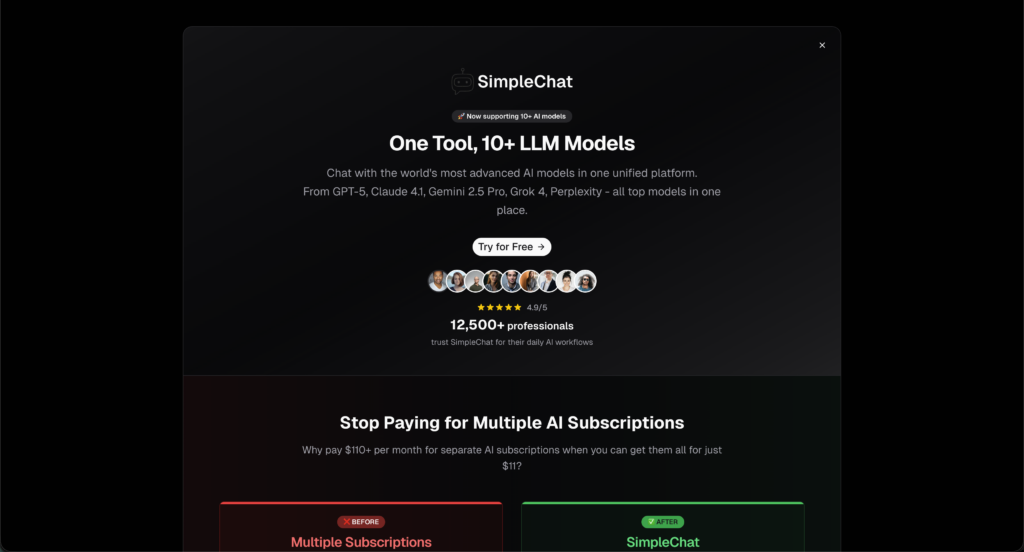
SimpleChat cuts through this inefficiency: $11/month for unlimited access to 10+ premium AI models—GPT-5, GPT-5 Mini, Claude 4.1 Opus, Gemini 2.5 Pro, Gemini 2.5 Flash, Grok 4, Grok 3, Sonar, and Sonar Pro. No feature gatekeeping. No paying separately for “image animator” versus “video generator” versus “math solver.” Just direct access to the AI models that power all these capabilities.
Here’s the practical difference: Instead of navigating EaseMate’s collection of single-purpose tools (each with their own interfaces, limitations, and potential costs), you interact directly with the world’s most advanced AI models. Ask GPT-5 to help with math—it handles it. Need Claude 4.1 for writing? It’s there. Want Gemini for multimodal tasks? One click away. You save $1,188 per year compared to buying ChatGPT Plus, Claude Pro, and Gemini Advanced separately.
This article examines EaseMate AI’s actual offering (specialized micro-features with unclear long-term viability), breaks down the real costs and limitations, and shows you why 12,500+ professionals choose direct model access through SimpleChat rather than paying for repackaged AI features that will inevitably lag behind the source models.
What is EaseMate AI?
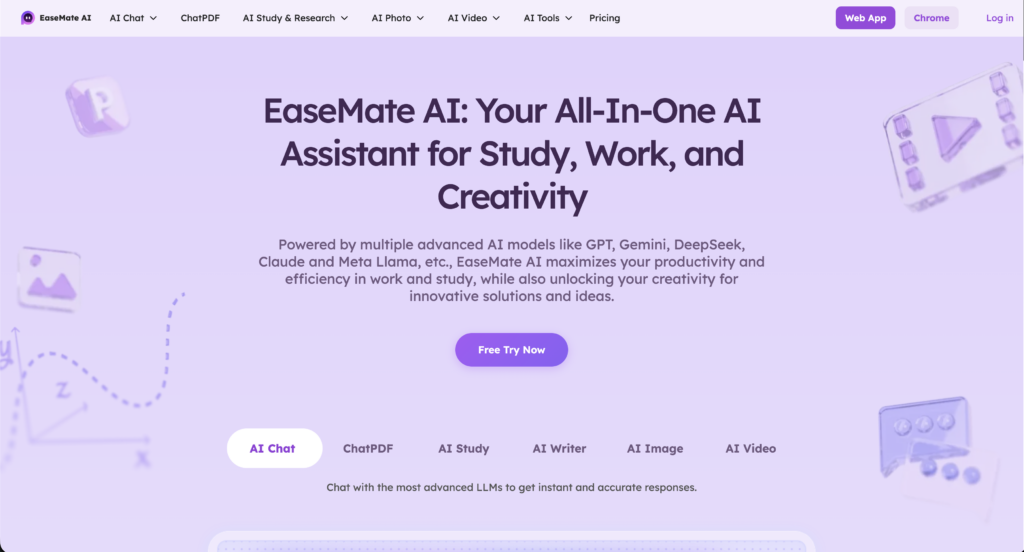
EaseMate AI is a web-based platform that packages various AI capabilities into individual specialized tools and generators. Unlike traditional AI chat platforms where you access models through conversational interfaces, EaseMate presents itself as a collection of distinct utilities—Studio Ghibli image converters, kissing video generators, physics solvers, story generators—each designed for a specific narrow task.
The core concept is simple: Visit the website, choose the tool you need from their directory, upload your input (image, text, video), and receive the AI-processed result. Many features claim “no login required” for initial trials, lowering the barrier to experimentation.
Available primarily as a web platform, EaseMate AI positions itself as an accessible AI toolbox for viral social media trends and specific creative tasks. The platform aggregates various AI capabilities (image manipulation, video generation, academic solving, content creation) while emphasizing convenience and specialized outcomes rather than general-purpose AI conversation.
Who is EaseMate AI designed for?
EaseMate AI primarily targets casual users, social media enthusiasts, and students who are comfortable with:
- Using single-purpose tools for one-off creative projects rather than ongoing professional workflows
- Accepting limited control over AI outputs compared to direct model prompting
- Navigating feature-by-feature pricing or subscription tiers that unlock specific tools
- Tolerating inconsistent quality as repackaged AI features may not match the latest model capabilities
- Relying on trend-driven features (Studio Ghibli converter, kissing video generator) that may not receive updates as underlying AI models improve
The platform offers convenient access to trendy AI capabilities without requiring technical knowledge or AI prompt engineering skills. For casual users wanting to convert a profile photo to anime style or generate a quick story, these single-click tools can be genuinely appealing.
However, this approach comes with a significant tradeoff: you’re limited to whatever features EaseMate has pre-built, with no flexibility to adapt the underlying AI to your specific needs. While SimpleChat provides direct access to GPT-5, Claude 4.1 Opus, and Gemini 2.5 Pro—letting you prompt these models for any task, creative or professional—EaseMate restricts you to their predetermined tool menu. Need something slightly different than their “pet to human” converter? You’re out of luck.
EaseMate AI Key Features
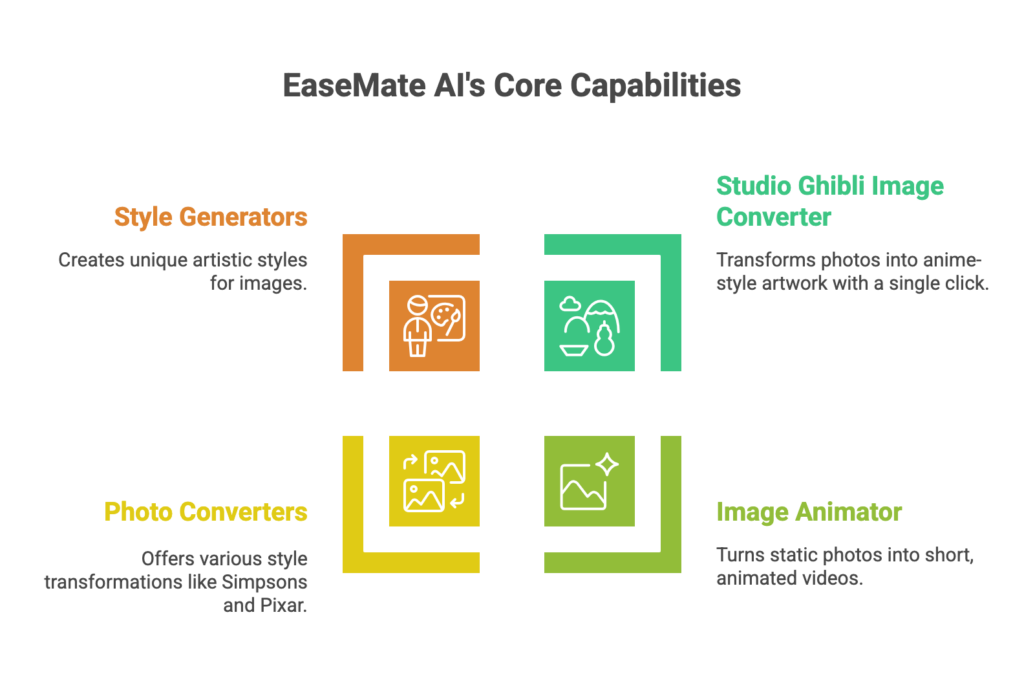
EaseMate AI offers a diverse set of specialized tools designed for users seeking specific AI-powered outputs. Let’s examine what’s actually available and what it means for practical usage.
Image Generation and Manipulation Tools
Studio Ghibli Image Converter
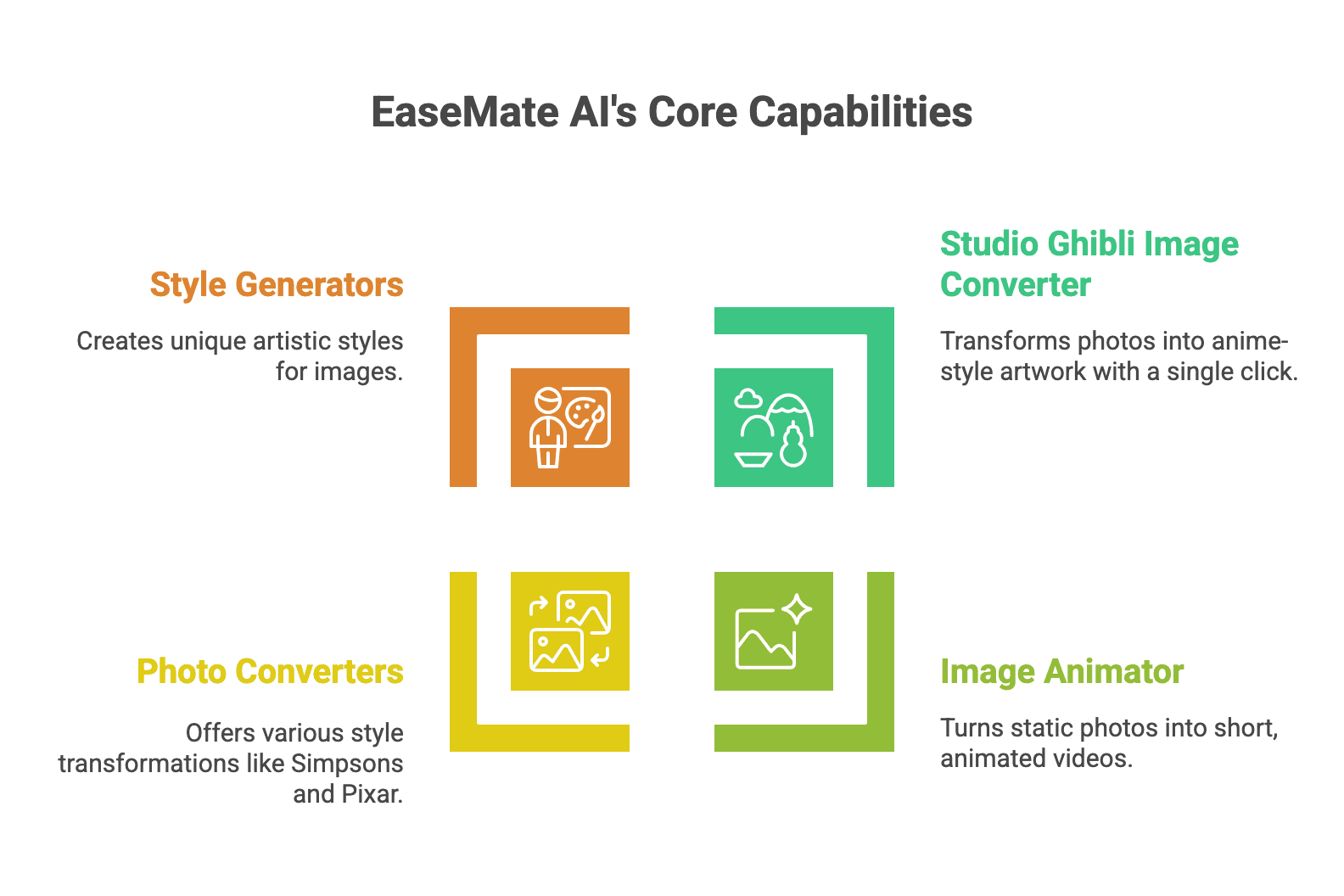
EaseMate’s most promoted feature transforms standard photos into Studio Ghibli anime-style artwork. You upload a photo, select the Ghibli converter, and receive an AI-generated image in the distinctive anime aesthetic.
The tool gained viral attention on social media for creating shareable profile pictures and artistic interpretations of everyday photos.
The catch? This feature is essentially a preset application of image-to-image AI models like Stable Diffusion or DALL-E variants with a specific style prompt. You’re paying for convenience—a single-click interface that applies a predetermined transformation—but losing the flexibility to customize style intensity, specific Ghibli film aesthetics (Spirited Away vs. Totoro style), or blend multiple artistic directions.
Compare this to using Gemini 2.5 Pro or GPT-5 vision through SimpleChat, where you could prompt: “Transform this image into Studio Ghibli style, specifically emulating the color palette and character design from Howl’s Moving Castle, with emphasis on soft backgrounds.” You get control, iteration, and the latest AI image capabilities instead of a locked preset.
Image Animator
EaseMate offers image animation capabilities that claim to turn static photos into moving videos. Users can upload portraits or images and receive short animated clips.
Image Extender, Photo Converters, and Style Generators
The platform includes various image manipulation tools:
- Photo to Simpsons converter
- Photo to Pixar style generator
- Photo to watercolor transformation
- Action figure generator
- Pet to human converter
Here’s the problem: Each of these is a separate tool with separate interfaces, separate pricing considerations, and separate quality levels. User reports indicate inconsistent results—some transformations work well, others produce artifacts or fail to capture the intended style. You’re essentially playing roulette with which features will deliver usable results for your specific input.
Real-world impact: You want to experiment with different artistic styles for a project. With EaseMate, you navigate multiple separate tools, upload the same image repeatedly, and hope each specialized converter works. With SimpleChat, you upload once to Claude 4.1 or GPT-5, describe what you’re trying to achieve, and iterate through conversation.
Video Generation and Processing
Veo 3 Video Generator
EaseMate promotes access to Google’s Veo 3 AI video generation model, allowing users to create videos from text prompts. This positions them as providing cutting-edge video AI capabilities.
Critical reality check: Veo 3 access through EaseMate is likely limited, throttled, or time-delayed compared to direct access through Google’s own platforms or comprehensive AI platforms. You’re experiencing a middleman’s interpretation of video generation rather than direct model access with full parameter control.
Video Summarizer
For processing existing video content, EaseMate offers YouTube video summarization—upload a link and receive key points extracted by AI.
The limitation: This functionality is available natively through Perplexity AI (which SimpleChat provides direct access to) and through GPT-5’s multimodal capabilities. You’re paying for a feature-specific interface that restricts you from asking follow-up questions, requesting different summary formats, or combining video analysis with other research—all of which you could do through direct model access.
Academic and Problem-Solving Tools
Math Solver
EaseMate provides step-by-step math problem solving, covering topics from basic arithmetic through calculus and geometry.
Physics Solver and Geometry Solver
Specialized solvers for physics problems and geometric calculations claim to provide detailed solution steps for student homework and learning.
Here’s the reality: Modern AI models like GPT-5, Claude 4.1 Opus, and Gemini 2.5 Pro all handle complex math, physics, and geometry natively with superior explanation capabilities. EaseMate’s “solvers” are repackaged applications of these same underlying models, presented through restricted interfaces that prevent you from asking clarifying questions, exploring alternative solution methods, or connecting concepts across disciplines.
Specific pain point: A student working on a physics problem gets a solution from EaseMate’s physics solver but doesn’t understand step 3. They can’t ask “why did you use this formula here?” or “show me another way to approach this.” With direct access to Claude 4.1 through SimpleChat, they have a full conversation, exploring concepts until understanding clicks.
Content Creation Features
Story Generator
Generate creative stories from prompts or themes using AI.
Podcast Generator (referenced but unclear implementation)
Some user searches reference podcast generation, though EaseMate’s current website doesn’t prominently feature this, suggesting features may appear and disappear based on trends.
Humanizer
Rewrite AI-generated content to appear more human-written, attempting to bypass AI detection tools.
The bottom line on content features: These are all tasks that GPT-5, Claude 4.1 Opus, or Gemini 2.5 Pro handle exceptionally well through direct conversation. Claude 4.1 is widely regarded as the best AI for creative writing. GPT-5 offers sophisticated story development. Gemini excels at content restructuring. EaseMate wraps these capabilities in single-purpose tools that prevent the iterative refinement real content creation requires.
EaseMate AI Pricing and Plans
EaseMate AI’s pricing structure is notably opaque—the platform doesn’t clearly publish standard pricing tiers on their main website, which itself is a red flag for cost transparency.
What We Know from User Reports
Based on user discussions and reviews across various platforms:
Free/Trial Access: Some features claim “no login required” with limited free usage
- Appears to offer initial trials of certain tools
- Heavily restricted after first use
- Quality or resolution may be limited on free tier
Premium Access: User reports suggest pricing ranges from $9.99 to $29.99/month
- Exact features included at each tier unclear
- Some tools may require separate payments or credit systems
- Pricing may vary based on usage volume or specific features accessed
Feature-Specific Costs: Indications that some tools operate on pay-per-use models
- Video generation (Veo 3) may have separate costs due to computational expense
- Image generation features may consume credits differently than solvers
- No clear published credit consumption rates
Critical reality check: The lack of transparent pricing on EaseMate’s website means you discover costs only after investing time in the platform. This opacity contrasts sharply with legitimate AI platforms that clearly display subscription tiers and feature access.
The Real Total Cost of Ownership
Here’s what EaseMate AI likely costs when you factor in realistic usage:
EaseMate AI estimated cost: $10-$30/month (based on user reports)
Plus these hidden considerations:
- Feature restrictions: Premium tier may not include all tools, forcing additional purchases
- Quality limitations: Lower-tier access may produce lower resolution outputs or watermarked results
- Usage caps: Even paid plans likely restrict volume on expensive features like video generation
- Limited updates: As underlying AI models improve (new GPT versions, updated Claude), EaseMate’s wrapped features may lag months behind
- No flexibility: Stuck with preset features; can’t adapt AI to your specific needs beyond what their tools offer
Realistic monthly total: $10-$30/month for EaseMate with significant limitations, plus you’ll still need general-purpose AI access for tasks outside their tool menu—effectively $30-$50+/month total AI spend.
Annual cost: $120-$360 per year for EaseMate alone, plus supplementary AI tools for everything EaseMate doesn’t cover.
Now compare that to SimpleChat: $11/month with unrestricted access to 10+ premium models—GPT-5, GPT-5 Mini, Claude 4.1 Opus, Gemini 2.5 Pro, Gemini 2.5 Flash, Grok 4, Grok 3, Sonar, and Sonar Pro. Every feature EaseMate offers is achievable through direct prompting of these models, plus you get unlimited flexibility for tasks EaseMate hasn’t thought to package yet.
That’s a potential 18-82% cost reduction and $1,188 saved per year compared to managing separate subscriptions or paying for EaseMate plus the AI access you’ll inevitably still need.
The math is clear: EaseMate’s feature-specific approach becomes a $10-$30 monthly commitment for limited, preset capabilities, while SimpleChat delivers the underlying AI models with complete flexibility at a predictable, lower cost.
EaseMate AI Pros and Cons
Let’s examine what EaseMate AI does well and where it falls short, based on available user experiences and practical evaluation.
Pros
Low Barrier to Entry
EaseMate’s “no login required” approach for certain features makes experimentation easy. Users can test the Studio Ghibli converter or other tools without account creation, lowering the friction for casual exploration.
Trend-Focused Features
The platform capitalizes on viral AI trends quickly. When Studio Ghibli converters became popular on social media, EaseMate had a dedicated tool ready. For users wanting to participate in these trends without understanding AI prompting, this convenience has genuine value.
Single-Purpose Simplicity
Each tool does one thing with minimal interface. Users who find general AI chat overwhelming may appreciate selecting “Physics Solver” and receiving direct solutions without navigating conversational AI.
Cons
Opaque Pricing Creates Uncertainty
User discussions across platforms reveal frustration with unclear costs. Unlike established AI platforms with published pricing, EaseMate forces users to discover limitations and costs through trial and error. “I used the image animator three times before discovering I’d been charged—there was no clear indication of credit consumption” represents common experiences.
Feature Quality Varies Dramatically
Reports indicate inconsistent results across EaseMate’s tools. The Studio Ghibli converter might work well on certain photo types while failing on others. Video generation produces mixed results. Math solvers handle basic problems but struggle with complex scenarios. You’re gambling on whether your specific use case aligns with what the preset tool handles well.
No Flexibility or Iteration
Users note that EaseMate’s single-purpose tools don’t allow refinement. Get a result you don’t like? You can’t ask the AI to adjust specific aspects or explain its approach—you can only run the tool again with different inputs and hope for better results.
One user described this limitation: “I wanted to adjust the anime style intensity on my photo, but the Ghibli converter is just a button—no controls, no conversation, no way to iterate. I’d need to use actual AI chat for that.”
Platform Viability Questions
EaseMate’s web presence is relatively minimal, raising questions about long-term support and feature updates. As underlying AI models improve rapidly (GPT-5, Claude 4.1, Gemini 2.5), will EaseMate update their wrapped features to use the latest capabilities? User comments suggest some features feel dated compared to direct model access.
Restricted to Preset Use Cases
The fundamental limitation: you can only do what EaseMate has built tools for. Need something similar but not identical to their “pet to human” converter? Want to combine image styling with text analysis? Have a unique creative vision that doesn’t match a preset button? EaseMate can’t help.
The Bottom Line
EaseMate AI delivers convenient single-purpose tools for viral trends and specific creative tasks, appealing to casual users who want one-click simplicity over flexibility. But for anyone needing reliable, professional-quality AI capabilities, this approach frustrates more than it helps when SimpleChat provides unrestricted access to the underlying AI models (GPT-5, Claude 4.1 Opus, Gemini 2.5 Pro) that power these features at $11/month—no preset limitations, no opaque pricing, complete flexibility.
SimpleChat: The Best EaseMate AI Alternative for 10+ AI Models
Here’s the fundamental problem with EaseMate AI: You’re paying for repackaged AI features—preset tools that limit you to specific use cases someone else designed—while the underlying AI models that power those features remain locked behind restrictive interfaces. For anyone who needs AI for real work rather than one-off social media experiments, that’s an artificial constraint you don’t need.
SimpleChat takes a radically simpler approach—give you direct, unlimited access to the world’s most advanced AI models, and let you use them for whatever you need.
Why SimpleChat is the Superior Choice
You Get 10+ Premium Models, Ready to Use
Log in and you immediately have unrestricted access to:
- OpenAI: GPT-5, GPT-5 Mini (latest capabilities including advanced vision, reasoning, and multimodal processing)
- Anthropic: Claude 4.1 Opus (widely considered the best AI for writing, analysis, and complex reasoning)
- Google: Gemini 2.5 Pro, Gemini 2.5 Flash (exceptional multimodal capabilities, image understanding, and creative tasks)
- xAI: Grok 4, Grok 3 (real-time information and unique perspectives)
- Perplexity: Sonar, Sonar Pro (research-focused with citation capabilities)
No feature menus. No preset tools limiting what you can ask. No opaque pricing revealing itself after you’ve invested time. Just direct conversation with the AI models that power every feature EaseMate wraps in restrictions.
Every EaseMate Feature, and Infinitely More
Want Studio Ghibli image conversion? Ask Gemini 2.5 Pro or GPT-5: “Transform this image into Studio Ghibli style, emphasizing soft watercolor backgrounds and expressive character features.”
Need math help? Claude 4.1 or GPT-5 walks through solutions step-by-step, answering follow-up questions and exploring alternative approaches.
Video summarization? Perplexity Sonar handles it natively, letting you ask clarifying questions about the content.
Story generation? Claude 4.1 Opus is exceptional at creative writing, offering iterative refinement EaseMate’s preset tool can’t match.
Switch Models to Find the Best Fit
Click a dropdown, select a different model, and continue your work. Want to compare how GPT-5 and Claude 4.1 handle creative writing? Try both instantly. Need Gemini’s multimodal strength for one task and Perplexity’s research focus for another? It’s all there, ready when you need it.
EaseMate locks you into preset tool logic. SimpleChat gives you the flexibility to use the right AI model for each specific task.
One Price, Everything Included, No Hidden Costs
$11/month gets you full, unlimited access to all models. No discovering costs after the fact. No credit systems for different features. No wondering if your next creative project will trigger charges. What you see is what you pay.
What You Can Actually Do with SimpleChat
For Social Media Creators: Generate creative content with GPT-5, refine visual concepts with Gemini 2.5 Pro, and fact-check claims with Perplexity—all through natural conversation that adapts to your specific needs rather than preset buttons.
For Students: Work through math problems with GPT-5 or Claude 4.1, asking follow-up questions until concepts click. Get physics explanations that you can probe deeper. Receive writing feedback that goes beyond preset templates. Upload documents and analyze them with any model you choose.
For Creative Professionals: Draft concepts with Claude 4.1 (exceptional writing AI), generate and refine visuals through GPT-5’s vision capabilities, and explore multiple creative directions through iterative conversation—not single-click presets that don’t quite match your vision.
For Researchers & Professionals: Access Perplexity’s research-focused models alongside general-purpose GPT-5 and Claude 4.1. Analyze data, summarize content, generate reports, and explore complex topics with AI that adapts to your specific methodology rather than forcing you into predetermined tool formats.
For Teams: Add team members and they immediately have access to all models through one unified platform. No training on which preset tool to use for which task. No managing credits across team members. Everyone gets direct AI access for whatever they need.
Over 12,500 professionals already use SimpleChat daily because it eliminates the artificial constraints that make tools like EaseMate frustrating for real work. You don’t need a “Studio Ghibli converter” tool—you need conversation with AI models that can create any artistic style you describe.
The Cost Difference is Dramatic
SimpleChat: $11/month, all-inclusive, unlimited usage of all models
vs. Buying Access Separately:
- ChatGPT Plus: $20/month
- Claude Pro: $20/month
- Gemini Advanced: $20/month
- Perplexity Pro: $20/month
- Other premium access: $30+/month
- Total: $110+/month
You save $99/month—that’s $1,188 per year
vs. EaseMate AI’s Real Cost:
- EaseMate premium access (estimated): $10-$30/month
- Additional AI tools you’ll need for tasks outside EaseMate’s preset features: $20-40/month
- Realistic total: $30-$70/month
With SimpleChat, you get more capable AI models, zero feature restrictions, unlimited flexibility, and save $228-$708 annually compared to EaseMate’s effective cost including the AI access you’ll still need.
Ready to access real AI models instead of preset wrappers?
EaseMate AI vs SimpleChat: Detailed Comparison
Here’s how the two platforms stack up across the factors that actually matter for getting real value from AI:
| Feature | EaseMate AI | SimpleChat |
|---|---|---|
| AI Access | Preset tools wrapping AI capabilities in single-purpose interfaces | 10+ premium models (GPT-5, Claude 4.1, Gemini 2.5, Grok 4, Perplexity) with unrestricted conversational access |
| Setup Required | Visit website, discover features through exploration, learn which tool does what | Zero—sign up and start using any AI model immediately |
| Monthly Cost | $10-$30/month estimated (unclear pricing) | $11/month all-inclusive, clearly published |
| Pricing Transparency | Opaque—costs discovered through usage | Fully transparent—$11/month, no hidden fees |
| Flexibility | Restricted to preset features EaseMate has built (Ghibli converter, kissing video, etc.) | Complete flexibility—prompt AI for any task in any style |
| Iteration & Refinement | No conversation—single-purpose tools produce output without dialogue | Full conversational AI—iterate, refine, ask follow-up questions |
| Model Updates | Features may lag months behind as underlying AI improves | Always latest models—GPT-5, Claude 4.1, Gemini 2.5 Pro as soon as available |
| Learning Curve | Must discover which preset tool fits your need | Natural conversation—just describe what you want |
| Team Onboarding | Explain which tools do what, manage feature-specific access | Add user, they talk to AI models immediately |
| Best For | Casual users wanting specific viral trend participation (Ghibli converter, etc.) | Anyone needing reliable, flexible AI for creative or professional work |
| Key Advantage | One-click access to trendy features without learning AI prompting | Direct model access + unlimited flexibility + latest AI capabilities |
| Key Limitation | Zero flexibility beyond preset tools; opaque pricing; inconsistent quality | No single-purpose gimmick tools (though AI models can create same outputs better) |
Which Should You Choose?
Choose EaseMate AI if you:
- Need exactly one specific feature they offer for a one-time creative project
- Prefer clicking preset buttons over conversational AI
- Don’t need flexibility or iteration in your AI outputs
- Are comfortable with opaque pricing discovered through usage
Choose SimpleChat if you:
- Want unlimited access to the actual AI models that power all these features
- Need flexibility to adapt AI to your specific creative or professional needs
- Value transparent, predictable pricing
- Want to iterate and refine AI outputs through conversation
- Need AI for ongoing work rather than one-off viral trend participation
- Want to save $228-$708/year compared to EaseMate’s effective cost with supplements
- Prioritize the latest, most capable AI models (GPT-5, Claude 4.1 Opus, Gemini 2.5 Pro)
The reality: Unless you specifically need exactly one preset feature EaseMate offers for a single project, SimpleChat provides dramatically better value through direct access to superior AI models at transparent, lower cost with unlimited flexibility.
Real User Feedback
EaseMate AI Users Report:
Users appreciate the low-friction access to trendy features. Some users noted that EaseMate’s Studio Ghibli converter “was the easiest way to create anime-style profile pictures during the viral trend.”
However, consistent concerns focus on pricing opacity and limited functionality. Users express frustration discovering costs after usage, inconsistent quality across different tools, and the inability to refine outputs beyond running the preset tool again.
Reddit discussions highlight the flexibility problem: “I wanted to tweak the anime style EaseMate generated, but there’s no way to iterate—it’s just a button that produces output. Ended up using ChatGPT to describe exactly what I wanted instead.”
SimpleChat Users Experience:
Professionals consistently highlight three benefits: direct model access eliminating preset limitations, transparent pricing, and unlimited flexibility. The 12,500+ professionals using SimpleChat daily emphasize how “having GPT-5, Claude 4.1, and Gemini 2.5 all in one place means I can handle any creative or professional task through conversation, not hunting for the right preset tool.”
Creative users particularly value iterative refinement—asking AI to adjust outputs, exploring variations, and combining capabilities across different tasks without being constrained by predetermined feature menus.
Frequently Asked Questions
What is EaseMate AI?
EaseMate AI is a web-based platform offering specialized AI-powered tools including Studio Ghibli image converters, video generators (Veo 3), math and physics solvers, story generators, and various image manipulation features. Each capability is presented as a separate preset tool rather than through conversational AI access.
Is EaseMate AI safe to use?
EaseMate AI appears to be a legitimate service offering AI-powered features, though the platform’s limited transparency about company information and pricing raises typical concerns users should consider when uploading personal photos or content to any online service. Review their privacy policy and terms before uploading sensitive materials.
How much does EaseMate AI cost?
EaseMate AI’s pricing is not clearly published on their website. User reports suggest costs ranging from $10-$30/month for premium access, with some features potentially operating on pay-per-use models. This pricing opacity contrasts with transparent alternatives like SimpleChat at $11/month with no hidden costs.
What’s the best EaseMate AI alternative in 2025?
SimpleChat is the better alternative, providing direct unlimited access to 10+ premium AI models including GPT-5, GPT-5 Mini, Claude 4.1 Opus, Gemini 2.5 Pro, Grok 4, and Perplexity for $11/month. Instead of preset tools limiting your options, you get conversational access to the AI models that can handle any creative or professional task with complete flexibility.
Can I use EaseMate AI without login?
EaseMate advertises “no login” access for some features, allowing users to try certain tools without account creation. However, practical usage and access to full features likely requires account creation and potentially paid subscriptions.
Does EaseMate AI have a free trial?
Some features appear to offer limited free usage or trials, though exact limitations aren’t clearly documented. Users report discovering restrictions after initial attempts, suggesting free access is heavily limited.
Can I use multiple AI models with SimpleChat?
Yes. SimpleChat gives you instant unlimited access to GPT-5, GPT-5 Mini, Claude 4.1 Opus, Gemini 2.5 Pro, Gemini 2.5 Flash, Grok 4, Grok 3, Sonar, and Sonar Pro. Switch between models with one click mid-conversation, adapting to whatever task you’re working on without preset limitations.
How much can I save with SimpleChat?
Compared to buying ChatGPT Plus, Claude Pro, Gemini Advanced, and Perplexity Pro separately ($110+/month), SimpleChat saves you approximately $1,188 per year. Compared to EaseMate AI’s estimated cost ($30-$70/month including necessary AI supplements), you save an additional $228-$708 annually.
What is EaseMate AI’s Studio Ghibli converter?
EaseMate’s most popular feature transforms uploaded photos into Studio Ghibli anime-style artwork. It’s a preset application of AI image-to-image models with specific style parameters, offering one-click convenience but no control over style intensity, specific aesthetic choices, or iterative refinement.
Can SimpleChat do what EaseMate AI’s specialized tools do?
Yes, and with more flexibility. Every feature EaseMate offers as a preset tool (image styling, math solving, video summarization, story generation) can be accomplished through direct conversation with SimpleChat‘s AI models—GPT-5, Claude 4.1, Gemini 2.5 Pro—with the added ability to iterate, refine, and adapt to your specific needs rather than accepting preset outputs.
Conclusion
EaseMate AI serves a specific niche: casual users seeking one-click access to viral AI features like Studio Ghibli converters or trendy image manipulations without learning AI prompting. For that audience, the preset tool approach offers simplicity for one-off creative experiments.
But here’s what the reality reveals—EaseMate costs an estimated $10-$30/month with opaque pricing, limited flexibility, and restrictions to preset features that may or may not fit your actual needs. Factor in the AI access you’ll still require for tasks outside EaseMate’s tool menu, and you’re looking at $30-$70/month total. That’s 2.7-6.4x more expensive than SimpleChat, which provides unrestricted access to the underlying AI models with complete conversational flexibility.
For anyone needing AI for more than one-off social media trends, SimpleChat is simply the better choice:
- 10+ premium models including GPT-5, GPT-5 Mini, Claude 4.1 Opus, Gemini 2.5 Pro, Grok 4, Perplexity Sonar, and Sonar Pro
- $11/month transparent pricing—no discovering costs after usage
- True unlimited conversational access (no preset limitations)
- Complete flexibility—prompt AI for any task, iterate and refine through dialogue
- 91-94% cost savings compared to separate subscriptions ($1,188/year saved)
- Always latest AI models, not lagging repackaged features
- Trusted by 12,500+ professionals for daily creative and professional workflows
Stop paying $10-$30/month for preset AI wrappers that restrict your creativity to predetermined buttons. Get direct unlimited access to the world’s most advanced AI models and use them however you need.